
On this page
- Why FAA Approved Flight Simulators Are Not One Category
- The Four Device Families and Their Governing Rules
- How Part 60 Qualification Levels Work
- Qualification Letters, LOAs and the Paperwork That Proves Approval
- How Much Simulator Time Counts Toward Each Rating
- Logging Simulator Time Correctly in Your Logbook
- Simulator Use for Currency and Instrument Approaches
- Choosing a Training Path That Uses Simulators Well
- A Pre-Session Checklist for Verifying Any Simulator
- Quick Reference for FAA Approved Flight Simulators
“FAA approved” doesn't mean a simulator is approved for every kind of training or logbook credit. A device can look like an aircraft cockpit and still not qualify for the task you want to practice, or the experience you hope to count. Before you book a session, find out which FAA framework covers the device, which aircraft it represents, and what the approval lets you do.
For a new pilot, those distinctions can feel like paperwork for its own sake. They're practical: the right documentation helps you plan training accurately and show an examiner why an entry belongs in your logbook.
Why FAA Approved Flight Simulators Are Not One Category
The popular advice to “check whether the simulator is FAA approved” leaves out the most useful question: approved under which rules, for which aircraft, and for what credit? The FAA recognizes Full Flight Simulators (FFSs) and Flight Training Devices (FTDs) under 14 CFR Part 60. It governs Basic Aviation Training Devices (BATDs) and Advanced Aviation Training Devices (AATDs) separately under 14 CFR § 61.4(c). These are different regulatory families, not interchangeable labels. The FAA's aviation instructor guidance distinguishes the device categories and approval frameworks.
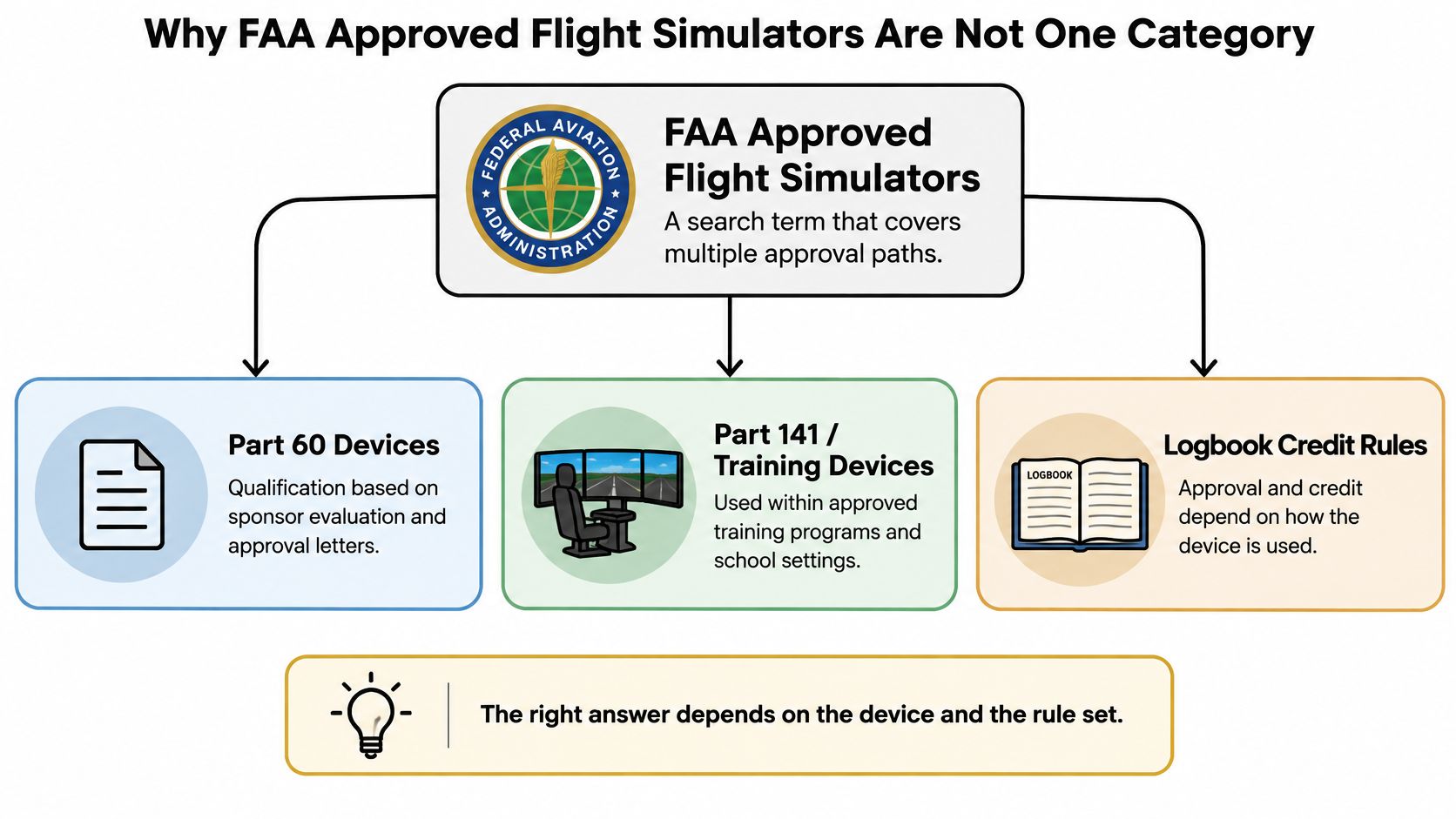
The distinction matters because the FAA says an ATD isn't an FTD or an FFS qualified under Part 60. An approved AATD therefore can't be treated as a Part 60 FTD, and an FTD's qualification doesn't make it a full-flight simulator. Each framework has its own approval process and may allow different kinds of training or credit.
The practical question: Don't stop at “Is it approved?” Ask what the device is approved to represent and which tasks the approval covers.
The FAA also distinguishes between a device's approval and its use in a training program. A qualified simulator doesn't automatically make every hour spent in it creditable toward every certificate or rating. The training must match the device's authorized use and the applicable rule.
If you're comparing school structures as well as equipment, the distinction between approved training programs and other training arrangements can help you ask more focused questions. This guide to Part 141 flight schools is a useful starting point.
The Four Device Families and Their Governing Rules
Start by identifying the device family. The initials can sound similar, but they point to different approval paths.
A Full Flight Simulator (FFS) is a Part 60 device with a high degree of aircraft representation. Its qualification level runs from A through D. A Flight Training Device (FTD) is also qualified under Part 60, but uses levels 4 through 7. An FTD represents an aircraft or aircraft group; it isn't automatically a full-motion simulator.
BATDs and AATDs are Aviation Training Devices approved under 14 CFR § 61.4(c). They follow a framework separate from Part 60. They may support specified training and credit when the device and use meet applicable requirements, but their approval doesn't turn them into FTDs or FFSs.
| Device family | Governing rule | Qualification levels | Approval mechanism |
|---|---|---|---|
| Full Flight Simulator (FFS) | 14 CFR Part 60 | A through D | FAA qualification for a specific aircraft representation and authorized tasks |
| Flight Training Device (FTD) | 14 CFR Part 60 | 4 through 7 | FAA qualification for a specific aircraft representation and authorized tasks |
| Basic Aviation Training Device (BATD) | 14 CFR § 61.4(c) | BATD category, not Part 60 levels | Approval under the ATD framework, generally documented by an LOA and QAG |
| Advanced Aviation Training Device (AATD) | 14 CFR § 61.4(c) | AATD category, not Part 60 levels | Approval under the ATD framework, generally documented by an LOA and QAG |
The approval also needs to match the aircraft configuration. For training centers operating under Part 142, each device used for training, testing, or checking must be qualified and approved for the relevant aircraft make, model, and series, as well as for the maneuvers, procedures, and curriculum in which it's used. A device approved for one aircraft configuration doesn't automatically carry the same approval to another. The FAA's National Simulator Program describes qualification and continuing oversight for Part 60 devices.
If you want a plain-language definition of one of these terms before reviewing a school's paperwork, see this explanation of a flight training device. Naming the family correctly is the first step toward understanding what the device can support.
How Part 60 Qualification Levels Work
Part 60 devices use qualification levels to specify capability. FFS levels run from A through D, while FTD levels run from 4 through 7. The level is not a consumer rating of how impressive the simulator looks. It identifies a device's qualified capabilities and the tasks it may support.
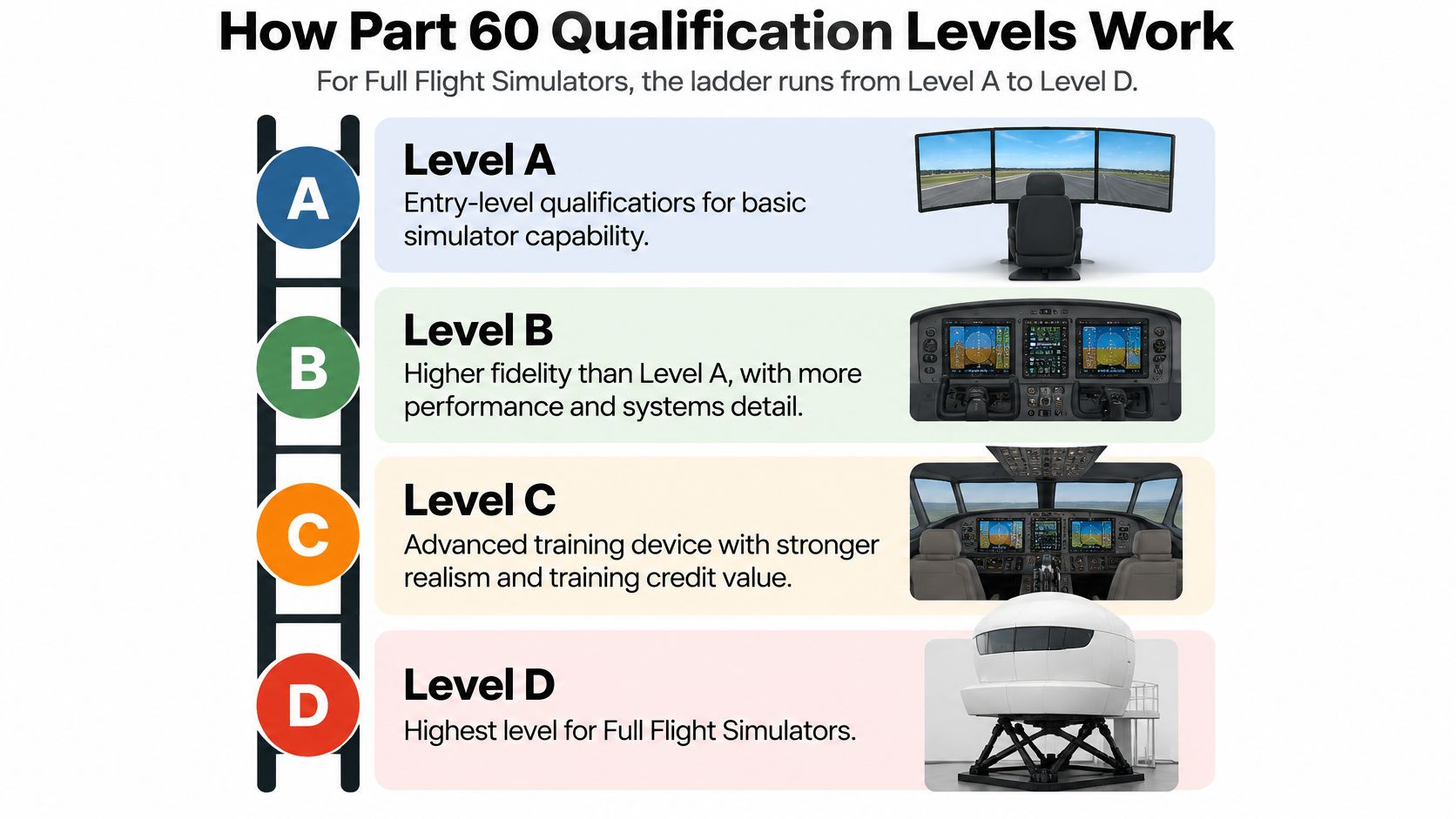
For FFSs, Level D is the highest level in the Part 60 scale. Higher qualification generally calls for greater fidelity in the aircraft model, systems, visual environment, and, where applicable, motion. The specific capabilities still depend on the device's qualification record, so don't assume every Level D simulator is approved for every aircraft or maneuver.
FTDs use a separate scale, from Level 4 through Level 7. A higher level indicates a different set of required capabilities, but it doesn't convert an FTD into an FFS. The categories have distinct standards, and a device's approved task list, rather than the number alone, tells you what training it may support.
The FAA's qualification standards address how the simulated aircraft behaves and how its systems are represented. Relevant details include cockpit layout and controls, instrument indications, and aircraft responses to changes in factors such as attitude, thrust, drag, altitude, temperature, weight, center of gravity, and configuration.
For applicable simulator standards, advisory material AC 120-40A describes a motion system with at least three degrees of freedom and calls for recording motion response time for comparison with aircraft data. Those specifications illustrate why a visually convincing display alone doesn't establish qualification. FAA Advisory Circular 120-40A provides guidance on simulator qualification standards.
Practical example: A generic trainer may help you rehearse instrument procedures, cockpit flows, and radio calls. That training value doesn't mean the device is qualified to provide the same regulatory credit as a higher-level FFS. Check the device's qualification record and approved tasks before you plan your training around a credit claim.
Qualification Letters, LOAs and the Paperwork That Proves Approval
A simulator's appearance doesn't prove its FAA status. Ask to see the document that applies to the specific device you'll use, then check that it covers the aircraft representation and training tasks you have in mind.
For a Part 60 FFS or FTD, the qualification record identifies the device's level and the tasks it's authorized to perform. The sponsor requests evaluation through the responsible FAA Flight Standards office, identifies the aircraft model or configuration represented, and maintains the device's qualified performance and functional characteristics. Keep the qualification statement and any listed limitations in view when deciding whether a session supports your training plan. Part 60's device rules and qualification framework are available in the regulation.
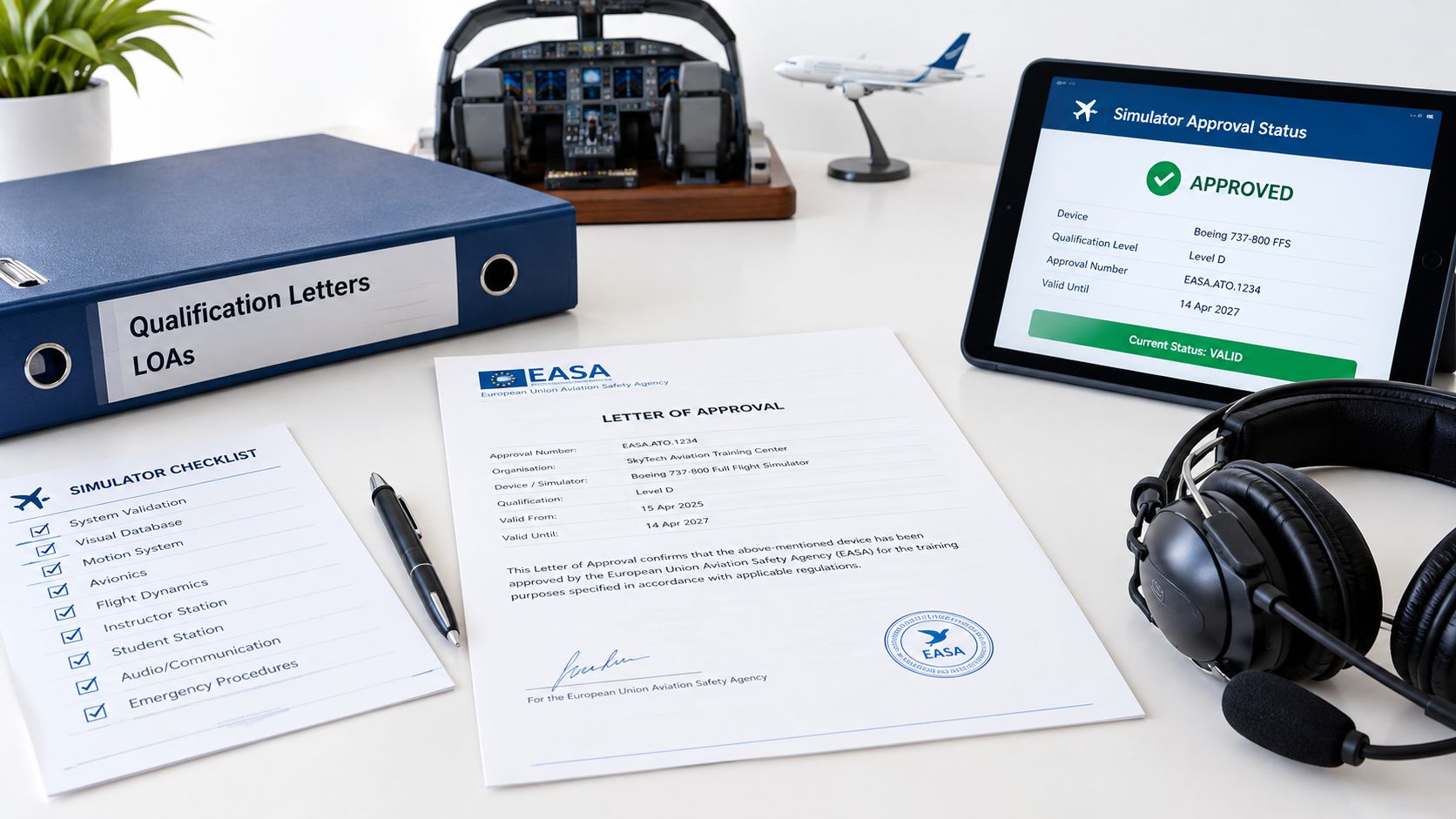
ATDs use different paperwork. Their approval generally involves a signed Letter of Authorization (LOA) and a Qualification and Approval Guide (QAG). The FAA recommends reviewing the current LOA or Statement of Qualification because those documents can expire or change when device functionality changes. FAA Advisory Circular 61-136A discusses aviation training devices and their approval documentation.
When you review an LOA or qualification statement, confirm that the paperwork is for the particular device you'll use, not merely a similar model or the facility as a whole. Check the approved aircraft configuration, authorized tasks, restrictions, and current status. If you can't connect the document to that exact device and your intended training, don't assume the session will count as planned.
A polished cockpit, familiar avionics layout, or manufacturer's marketing description isn't a substitute for the applicable FAA document. Ask the provider to show you the current paperwork and explain which part supports the credit they're offering. That's a straightforward due-diligence step, not a challenge to the instructor.
How Much Simulator Time Counts Toward Each Rating
There isn't one simulator-hour allowance that applies to every device and every rating. The credit pool depends on the device category and the rule for the certificate or rating you're pursuing. For an instrument rating, the verified limits for ATDs differ by category: up to 10 hours may count in a BATD and up to 20 hours in an AATD. The applicable instrument-rating rule is in 14 CFR § 61.65.
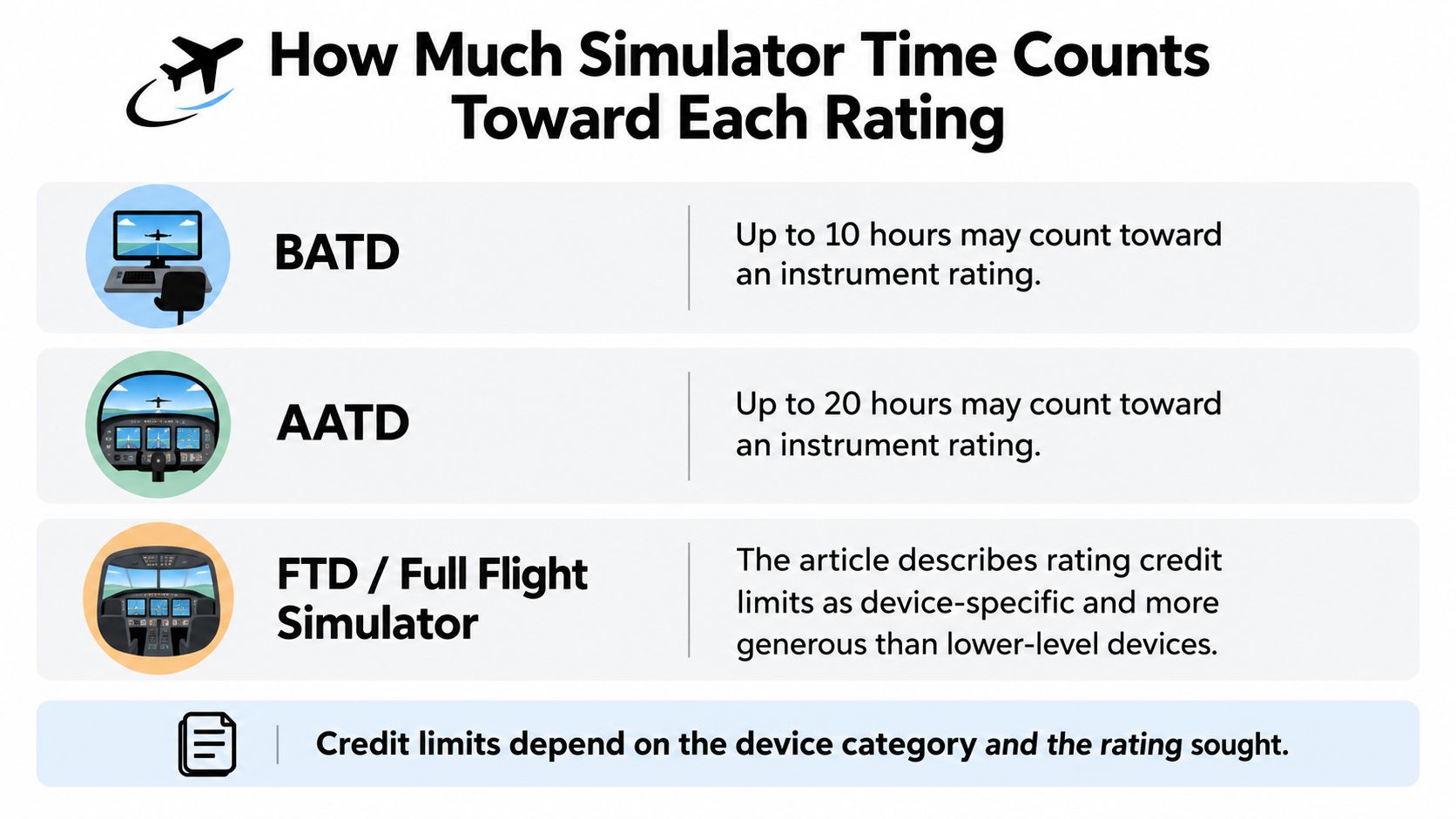
| Device category | Instrument-rating credit |
|---|---|
| BATD | Up to 10 hours may count, subject to the applicable requirements |
| AATD | Up to 20 hours may count, subject to the applicable requirements |
| FTD or FFS | Governed separately, with applicable device-specific and combined limits |
For FTDs and FFSs, don't apply the BATD or AATD limits. Their credit is governed separately by the applicable regulation and depends on the device's qualification, the training program, and the tasks performed. Check the rule and the device documentation that apply to your particular course rather than relying on a general statement that “simulator time counts.”
A simulator hour can be useful even when it doesn't replace an aircraft hour. You can use a controlled session to repeat procedures or practice a task under instructor supervision, but training value and regulatory credit aren't the same thing. A larger simulator allocation won't automatically make you eligible sooner if the device category, instructor involvement, aircraft category, or logbook record doesn't meet the rule.
And don't relabel device time as solo, cross-country, night, or ordinary aircraft time. Each kind of experience has its own requirements. When you compare program structures or calculate the experience relevant to a later career milestone, use the applicable requirements rather than treating all logged time as interchangeable. This guide to ATP and CTP requirements can help frame those questions without replacing a review of the governing rules.
Logging Simulator Time Correctly in Your Logbook
A credit rule only helps if your record shows what happened. Under 14 CFR § 61.51, simulator time used toward instrument aeronautical experience for a certificate or rating requires an authorized instructor to observe the session and sign the logbook or training record. The record needs to show both the amount of time and the content of the training. The regulation's logging requirements are set out in 14 CFR § 61.51.
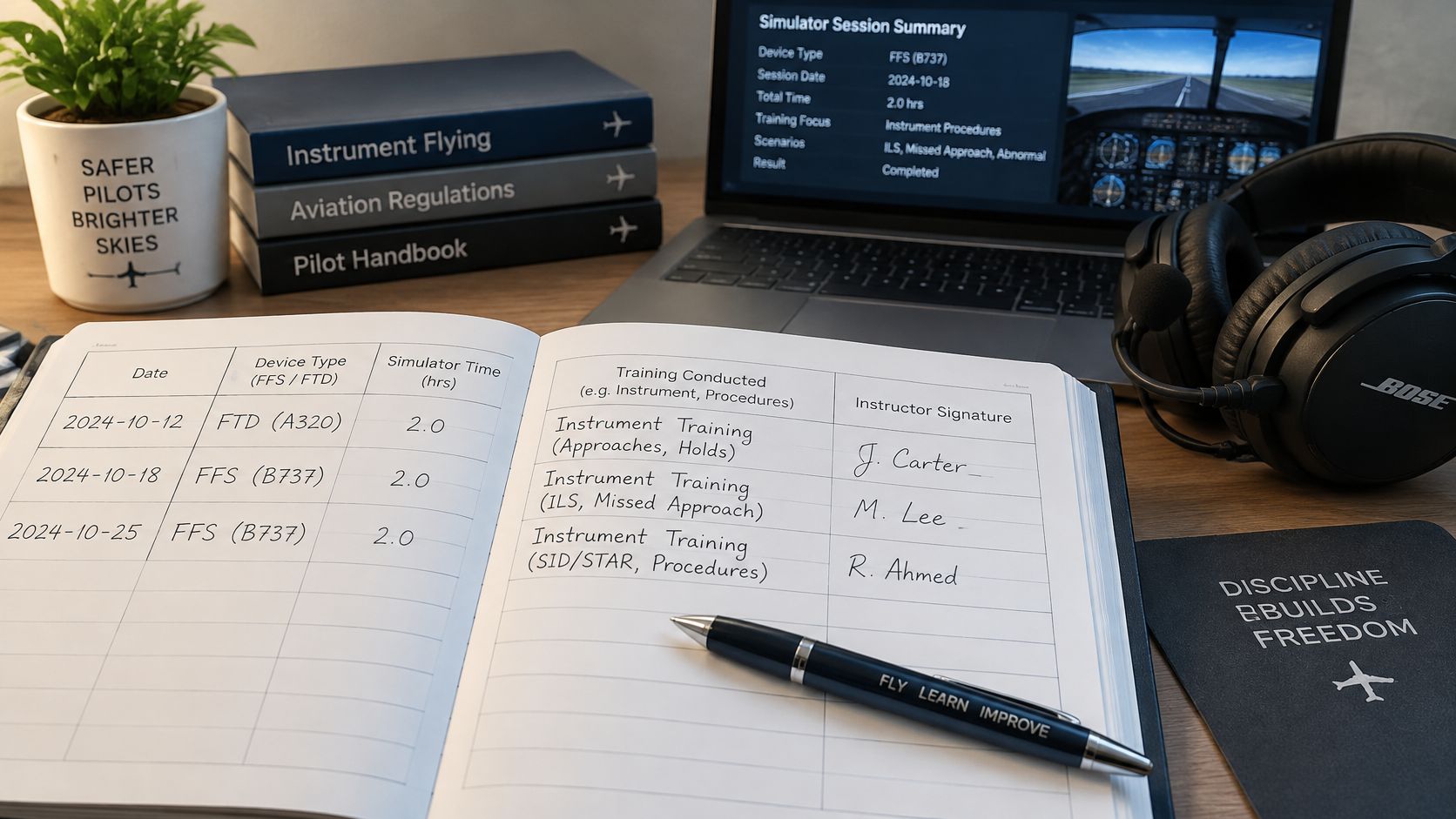
For an ATD entry, record the device as a BATD or AATD, as applicable, and describe the training received. FAA guidance says approved ATD time should be logged as dual instruction, with flight-time columns left blank. An instructor's signature should support the entry when it's being applied toward the relevant experience requirement.
A useful entry is specific enough that you and an examiner can follow it later. For example, record the date and duration, identify the device category, describe the instrument tasks practiced, and obtain the authorized instructor's signature. Don't put ATD time in an aircraft flight-time column just because the session felt like a flight lesson.
The video below can provide another visual reference for thinking about simulator sessions and logbook records.
Unsupervised practice isn't a substitute for the instructor-observed session required to claim qualifying instrument experience under § 61.51. A designated pilot examiner may also ask to review the ATD's LOA when you're using ATD time toward minimum experience requirements. Keep the device paperwork accessible alongside your training records, rather than trying to reconstruct the basis for an entry just before a checkride.
Simulator Use for Currency and Instrument Approaches
Currency has a shorter memory than a logbook. A pilot can have substantial instrument experience and still lose legal recency because the last qualifying approaches, holding, or tracking tasks are too old, so treat “approved simulator” as a question about a specific session, device, and rule.
For pilot-in-command recent experience, the takeoffs and landings required under 14 CFR § 61.57 may be performed in an FFS or FTD only when the device is approved for landings, represents an aircraft or aircraft group for which the pilot is rated, and is used under an approved course at a Part 142 certificated training center. The takeoff and landing requirements are in 14 CFR § 61.57. The practical consequence is simple: a capable desktop device can build skill, yet it cannot carry landing currency unless every condition in the rule is met.
Instrument approaches sit in a different credit pool. FAA guidance says the pilot must operate solely by reference to instruments, continue each required segment to the applicable minimum descent altitude or decision altitude/height, and keep simulated instrument conditions in place to that minimum; the device must hold the relevant Part 60 qualification, FFS levels A through D or FTD levels 4 through 7. FAA instrument-flight guidance explains the requirements for logging approaches. If the simulated weather clears early, the approach should not be counted.
Before counting an approach toward currency, confirm the device qualification and the way the session was conducted, rather than relying on a general claim that the simulator is approved. For how these sessions fit into a course sequence, see this instrument-rating course syllabus.
Choosing a Training Path That Uses Simulators Well
A structured training program and a self-directed Part 61 path can both use simulators, but they place different demands on you. In a self-directed path, you may need to coordinate the device, instructor, syllabus, and paperwork yourself. A structured syllabus can connect simulator sessions to specific training goals, but you should still check the device's qualification and the credit assigned to each session.
CFII's Career Track is a fixed-price example of a structured path. It has $89,000 tuition and takes about nine months from zero time to CFII and multi-engine, with 282 total hours and six certificates and ratings. The stated hours include 204 single-engine hours, 25 multi-engine hours, and 53 simulator hours. Those program totals describe the curriculum, not a blanket claim that every simulator hour qualifies for every FAA credit. CFII is based in Southern California, with training at Riverside, Long Beach, and Corona.
Before you rely on any simulator allocation, ask how the school maps each session to the syllabus and to a specific credit, what device documentation supports the session, and whether an authorized instructor will supervise and sign the record. Then compare the written hour breakdown with the actual curriculum. For broader training design, this overview of scenario-based training offers a useful way to think about how practice tasks fit into a learning plan.
CFII's aircraft have glass cockpits, and its fleet consists of factory-new Tecnam P-Mentors with Garmin glass cockpits and whole-aircraft parachutes. Its Career Track also includes checkrides scheduled with FAA examiners, written-test preparation for every rating, and study materials. Ask for the exact simulator documentation and credit mapping, rather than assuming that a published total of simulator hours answers those questions.
A Pre-Session Checklist for Verifying Any Simulator
Before you start the session, make the paperwork match the training plan. Use this checklist whether you're booking one lesson or evaluating a longer program.
- Name the device family. Confirm whether it's an FFS, FTD, BATD, or AATD. For a Part 60 device, note its qualification level; for an ATD, confirm its ATD category.
- Review the current approval document. Ask to see the qualification statement for an FFS or FTD, or the current LOA and QAG for an ATD. Check the document's status and any listed limitations.
- Match the aircraft representation. Make sure the approved make, model, series, or configuration fits the aircraft you're training in. Don't assume approval carries over from a similar aircraft.
- Confirm the authorized task. Ask whether the device is approved for the maneuver, procedure, or curriculum you plan to practice.
- Set the logging plan. Confirm which certificate or rating requirement the session is intended to support, whether an authorized instructor will be present, and who will sign the record.
- Record the training content. After the session, make sure the logbook or training record describes the work completed and identifies the device correctly.
When comparing schools, ask about airplane age, students per airplane, instructor turnover, the total price in writing, and whether the training is Part 61 or Part 141. We recommend asking every school, including us, those questions, and asking whether you can fly before committing. At CFII, prospective students can walk the hangar, sit in a cockpit, and meet the instructors before making that decision.
A facility that can't produce current device documentation, won't explain the approved aircraft configuration, or describes simulator hours as automatically equivalent to flight hours gives you reason to pause. Approval, logging, and credit each need to match the session you're planning.
Quick Reference for FAA Approved Flight Simulators
Use this table to identify the framework before you decide whether a device can support your training. “Typical credit” is not a guarantee: the device's paperwork, the task, the instructor's role, and the applicable regulation all matter.
| Device family | Regulation | Levels | Approval document | Typical credit |
|---|---|---|---|---|
| FFS | 14 CFR Part 60 | A through D | FAA qualification statement or letter | Device- and task-specific; check the applicable rule |
| FTD | 14 CFR Part 60 | 4 through 7 | FAA qualification statement or letter | Device- and task-specific; check the applicable rule |
| BATD | 14 CFR § 61.4(c) | BATD category | Current LOA and QAG, as applicable | Up to 10 hours toward an instrument rating, subject to requirements |
| AATD | 14 CFR § 61.4(c) | AATD category | Current LOA and QAG, as applicable | Up to 20 hours toward an instrument rating, subject to requirements |
For logging, 14 CFR § 61.51 sets requirements for instructor-observed instrument experience and recordkeeping. For recent experience, 14 CFR § 61.57 sets limits on simulator use for required takeoffs and landings. AC 61-136 addresses ATDs, while AC 120-40A provides simulator qualification guidance. The earlier sections explain how to check each document and apply the relevant rule.
If you haven't flown yet, CFII offers a one-hour discovery flight with an instructor that requires no experience. If you're ready to consider a complete path from zero time to CFII and multi-engine, review the Career Track details before deciding whether its training structure fits your goals.
CFII offers discovery flights for people who want to experience an instructor-led flight before committing, and a structured Career Track for aspiring career pilots comparing simulator hours with a full training plan. Review the program details at CFII and bring your questions about device qualification, logbook credit, and training structure.
Planning to fly for a living?
See what the path from zero to a pilot career looks like, what it costs and how long it takes.
Learn to fly in Riverside
We train at Riverside Municipal Airport in factory-new airplanes with a parachute built in. Start with a one hour discovery flight, no experience needed.