
On this page
- Why Aircraft Flight Simulation Matters in Modern Training
- The first confusion is always the same
- The Four Main Categories of Flight Simulation Devices
- The hierarchy from basic to advanced
- Why the distinction matters in practice
- How FAA Part 60 Qualification Levels Shape Training Outcomes
- Qualification is a match between device and lesson
- What to verify before trusting the device
- Where Simulation Fits Into Different Pilot Training Pathways
- Different pathways, different uses
- Performance timing is part of the training, not just the comfort
- The Transfer Boundary Between Simulator Success and Real-Aircraft Competence
- What transfers well and what doesn't
- A clean way to judge transfer
- How to Evaluate and Choose the Right Simulation Training
- The questions that actually matter
- A short decision guide
- VR and AI Simulation for Home Training: What Works and What Doesn't
- Good for rehearsal, not for blind trust
- When to stop using it
- Integrating Simulation Into Your Personal Training Roadmap
- Build the sequence on purpose
You're standing in front of a training brochure, a school website, or maybe a rental desk at a local airport, and the words all blur together. Flight simulator, training device, full-motion, FAA-approved, it sounds like the same thing until you realize each label points to a different level of training value. For a new pilot, that difference matters because the question isn't whether a machine can help, it's what it can teach safely, and what still needs to happen in the airplane.
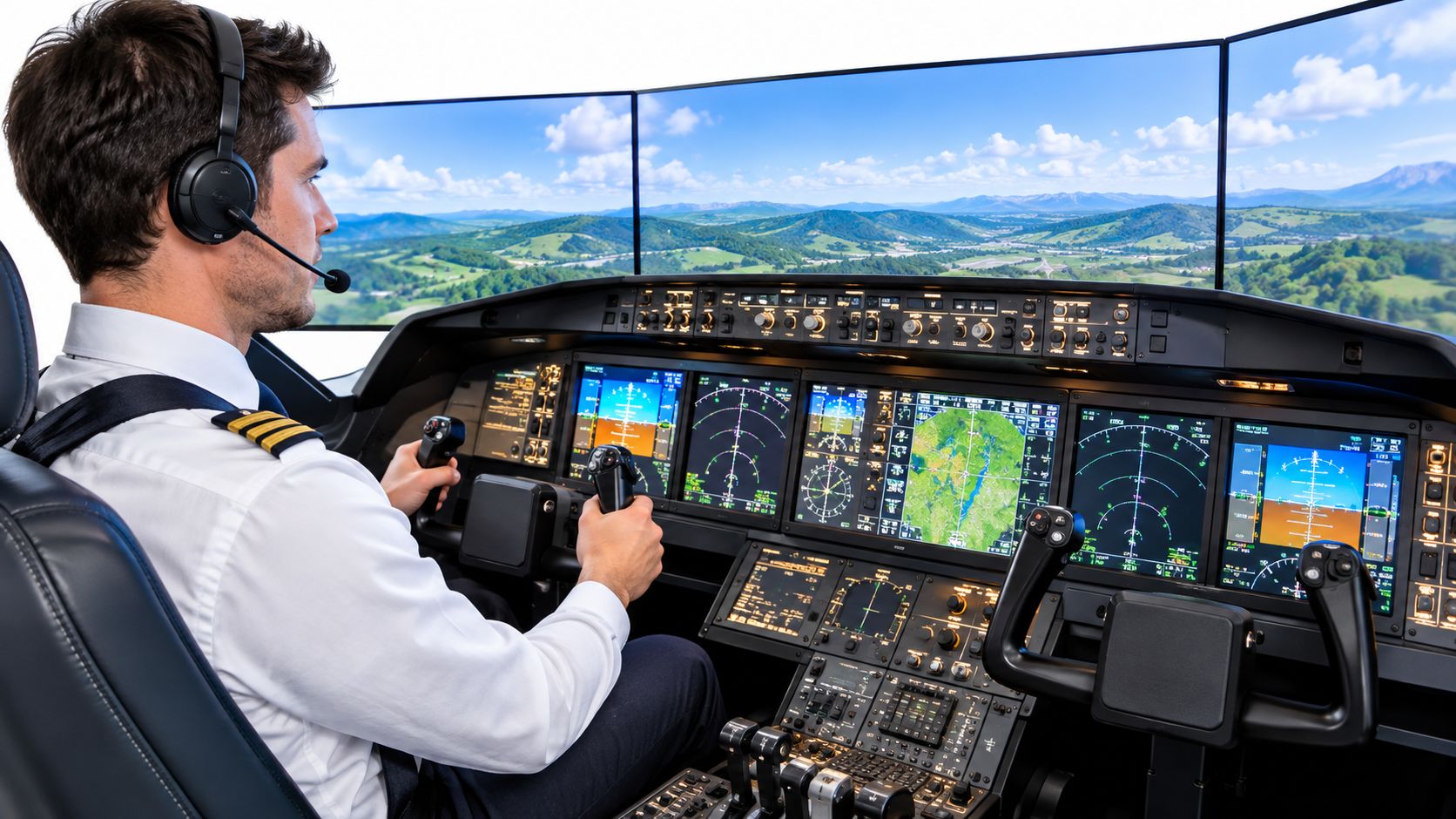
Aircraft flight simulation became central to serious training long before modern airline devices filled the market. NASA records from the Project Mercury era show one program spent 11,511 of 31,928 total hours in simulator work, which is 36% of training time, and a later program devoted 15,029 of 26,822 hours to simulators, or 56% of total training (NASA historical record). That history matters because it shows simulation didn't grow out of entertainment, it grew out of a need to rehearse complex tasks without taking real risks.
Why Aircraft Flight Simulation Matters in Modern Training
A student may assume that more simulator time always means fewer surprises in the airplane. The core lesson is narrower. Simulation helps most with procedure, repetition, workload management, and decision-making. It cannot replace the feel of the aircraft, the pressure of real weather, or the timing errors that appear only in flight.
The first confusion is always the same
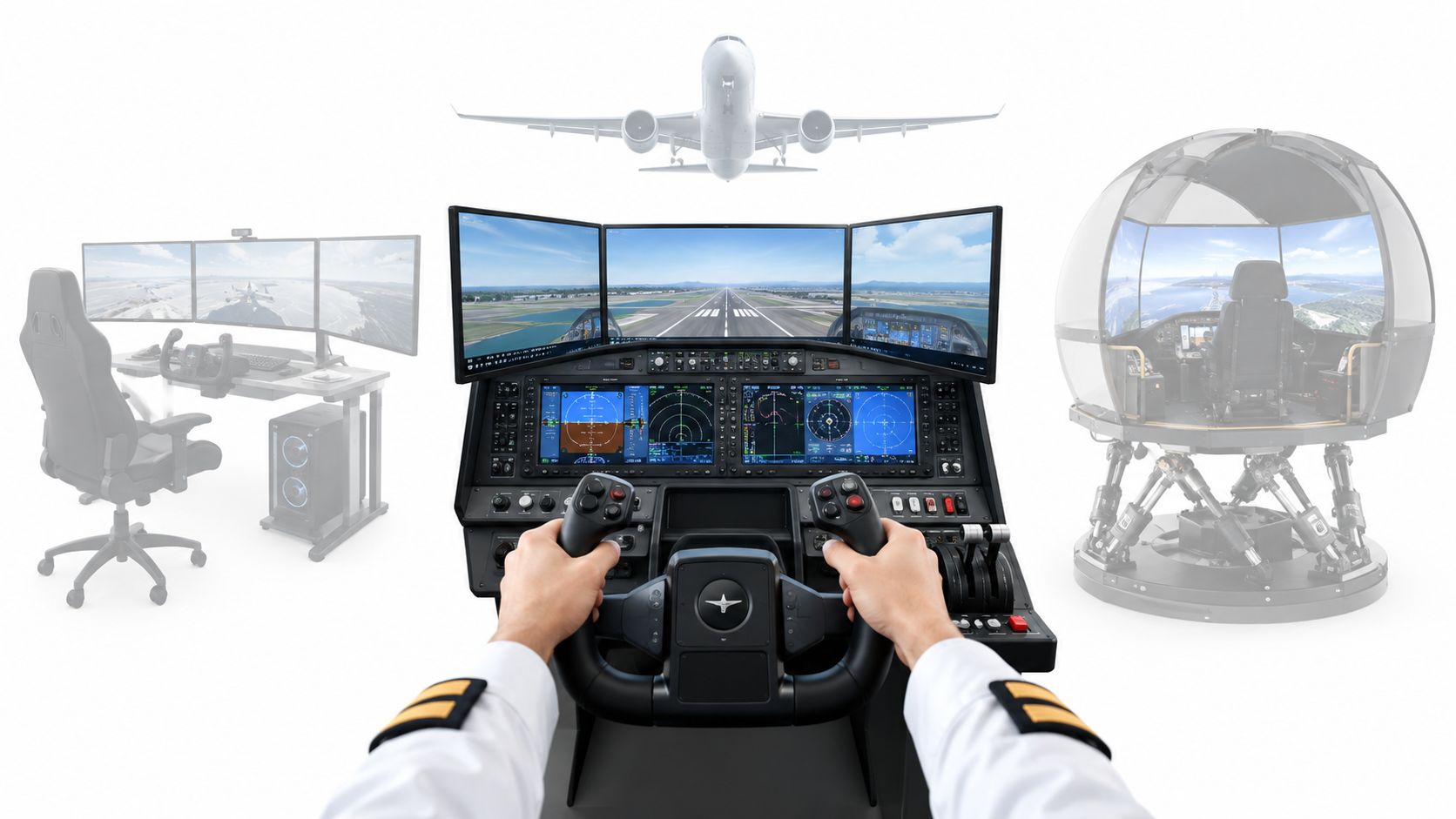
A desktop app, a home setup, and a certified training device may all be called simulators, yet they do not do the same job. One can help a student learn radio calls or panel flow. Another can support logged training tasks. A third can model handling qualities, systems, and cues closely enough to support more advanced instruction.
A useful historical example comes from NASA's Mercury-era training record. The simulator was treated as the place to rehearse difficult tasks safely, not as a novelty attached to flight hours (NASA historical record). That logic still shapes modern training design.
Practical rule: use simulation for tasks you want to repeat under controlled conditions, then use aircraft time for the parts where the real machine, weather, and workload still matter.
That distinction is the core of the rest of this article. It explains why device type matters, why FAA qualification matters, where simulation fits in different training paths, and where simulator success can still fall short of real-aircraft competence.
The Four Main Categories of Flight Simulation Devices
The category name tells you less than the actual capability. A device can look polished and still be weak for training, while a simpler-looking device can be the right tool for a narrow job. Start by asking what the trainee is supposed to practice, then match the hardware to that task.
The hierarchy from basic to advanced
At the lowest level is the Computer-Based Trainer, often used for theory, cockpit familiarization, and scenario walkthroughs. It's a learning aid, not a substitute for hands-on aircraft work. A student might use it to memorize checklist order, understand a control panel, or rehearse callouts before ever touching the controls.
Next is the Aviation Training Device, which is usually aimed at foundational recognition and instrument familiarity. It helps a beginner learn where things are and what they do. That makes it useful for orientation, but not for pretending it reproduces the full flight experience.
A Flight Training Device is more serious. It's intended for procedural practice, systems use, and some parts of instrument or abnormal training, depending on its qualification level. In practical terms, this is the kind of device schools use when they want a student to practice cockpit flow, avionics programming, or checklist discipline without burning aircraft time.
At the top sits the Full Flight Simulator, which is built for a deeper match to the target aircraft's handling, systems, and cueing. These are the devices students picture when they think of a motion platform, immersive visuals, and a full cockpit shell. They're not automatically needed for every lesson, but they become valuable when the training objective depends on realism in response, workload, and failure management.
Why the distinction matters in practice
A pilot learning an instrument scan may benefit from a lower-cost device if the panel layout and procedures are close enough to the training objective. A pilot practicing a transport-category abnormal event needs a higher-fidelity environment because system behavior and handling cues matter more. The category isn't about prestige, it's about fit for purpose.
That's why a school syllabus should name the device type, not just say “sim time.” If the lesson depends on a qualified device, a generic unit won't do the same job. If the lesson is mostly about repetition and cockpit flow, a simpler trainer may be exactly right.
How FAA Part 60 Qualification Levels Shape Training Outcomes
A simulator can look convincing and still be the wrong tool for the lesson in front of you. FAA Part 60 qualification keeps the focus on task fit, because training value comes from how well the device supports the maneuver, not from how realistic the cockpit appears.
Qualification is a match between device and lesson
Under FAA Part 60, flight simulation training devices are qualified against device-specific standards, with Level A through D for full-flight simulators and Level 4 through 7 for flight training devices (FAA qualification guidance). Each qualified device receives a Statement of Qualification that identifies the level and the tasks it is approved to support.
That distinction matters in day-to-day training. If a lesson is built around instrument procedures, avionics setup, abnormal checklists, or cockpit flows, the device must reproduce the relevant aircraft configuration closely enough for those tasks to make sense. The more a lesson depends on aircraft-specific handling or systems behavior, the more the qualification details matter.
A generic device can still have real value. It may work well for memory work, verbal rehearsal, and managing workload. It should not be treated as interchangeable with a qualified device that matches the target aircraft's systems and handling qualities.
Instructor's check: before you log simulator time, ask what level the device is qualified to, what aircraft it represents, and which syllabus tasks it can legally and effectively support.
Schools that teach instrument flying often document that alignment carefully. A lesson plan such as CFII's instrument rating course syllabus shows how device capability can be matched to the training goal, which is the right way to use simulation.
What to verify before trusting the device
A sound training organization should be able to answer three questions without hesitation.
- The qualification level: ask whether the device is an FTD or FFS, and what level of approval it carries.
- The approved tasks: confirm whether the lesson you are about to do is supported.
- The aircraft model and limitations: a trainer that represents one cockpit layout may not be a good stand-in for another.
That is not bureaucracy for its own sake. It is the boundary between simulator success and real-aircraft competence, and it is what keeps training time tied to the lesson instead of the appearance of realism.
Where Simulation Fits Into Different Pilot Training Pathways
A student can do well in one training path and still need a different kind of simulator support in another. Private pilot training, accelerated career-track programs, instrument work, and airline-oriented training all ask the device to do different jobs. The purpose of the session changes, and that should guide the choice of simulator time.
Different pathways, different uses
In a private pilot path, simulator time often supports pattern recognition, radio work, and basic procedures. That makes sense because a beginner benefits from repetition before the airplane adds motion, noise, and time pressure. A career-track program may use the simulator more aggressively because repetitive work can be compressed before the next aircraft lesson.
One study comparing an intensive simulator-based pathway with conventional collegiate flight training found the simulator-intensive group averaged 46.03 flight hours versus 76.06 hours for the conventional group, a difference of 30.03 hours or about 39.5% fewer aircraft hours (study on simulator-based collegiate training). The same study reported the simulator-intensive group completed the private-pilot stage in an average of five weeks, excluding simulator time, and later completed commercial and CFI milestones in average timelines reported in the paper.
That result helps explain why simulation is not one-size-fits-all. A device that is ideal for early habit-building may also support higher-volume practice, but only if the training goal matches what the device can teach.
An airline-oriented path uses simulation differently again. The focus is procedure standardization, abnormal management, and crew coordination, where consistency under workload matters more than visual realism for its own sake. For airline-oriented requirements, see the overview of ATP-CTP requirements. In that setting, a fixed cockpit environment can be more valuable than a visually impressive one, because the student is rehearsing workflow, callouts, and timing as a crew.
Performance timing is part of the training, not just the comfort
Timing affects what the trainee learns. If cues arrive late, the student starts adjusting to the simulator instead of to the airplane.
FAA FSTD guidance identifies a maximum response time of 150 milliseconds for flight-deck instruments and motion or visual cueing where employed, and display movement latency should be kept below about 20 milliseconds to reduce discontinuities and simulator sickness (FAA FSTD guidance). For airline-level simulator approval, FAA guidance also specifies a continuous visual field of view of at least 75 degrees horizontally and 30 degrees vertically per pilot seat, with simulator output delay relative to aircraft response limited to no more than 300 milliseconds in the cited framework.
Those are training details, not cosmetic extras. A simulator can feel smooth to a passenger and still teach poor timing, overcontrol, or motion discomfort. The right device is the one that fits the task, so simulator success has a clean path to real-aircraft competence.
The Transfer Boundary Between Simulator Success and Real-Aircraft Competence
Many students get tripped up here. A strong simulator session can feel like proof that a skill is learned, yet the airplane still exposes gaps the device could not represent. What matters is not whether simulator work helps. It is which skills transfer cleanly and which ones need live flight to settle in.
What transfers well and what doesn't
Recent evidence points to a boundary, not a blanket rule. A 2025 review found strong transfer overall, while also noting that some skills transfer better than others and calling for more research on early-stage training (review of simulator transfer research). A separate 2025 study found simpler tasks generally transfer more reliably than complex tasks, although demanding procedures such as unusual-attitude recovery also showed substantial transfer (study on simulator transfer).
That means you should think in skill buckets, not in one large pile of “sim time.”
- Procedural familiarity: strong fit for simulator work.
- Cockpit management: strong fit when the device mirrors the workflow.
- Perceptual-motor control: useful in simulation, but still needs aircraft confirmation.
- Weather judgment and risk management: can be rehearsed, but not fully proven in a device.
- Radio communication: highly trainable in simulation.
- Unusual attitudes and high-workload recovery: often worth practicing in a simulator, with real-aircraft validation afterward.
The same research also challenges the assumption that more motion always means better learning. Motion is widely perceived as superior, but evidence doesn't consistently show it is necessary (study on simulator transfer). That matters because some schools market realism as if it were the only measure that counts.
Practical boundary: if the task depends on feel, timing, or aircraft-specific cues that the device cannot honestly reproduce, treat the simulator as preparation, not proof.
A clean way to judge transfer
The best framework is simple. After each sim lesson, ask what observable aircraft behavior should improve next time, then have the instructor look for that behavior in the airplane. If the sim lesson only produced confidence but no measurable transfer, the session was entertaining, not effective.
For a student considering extra home practice, that boundary is even more important. A device can reduce anxiety and sharpen the sequence in your head, but it can also create false confidence if nobody checks whether the skill moved into the cockpit.
How to Evaluate and Choose the Right Simulation Training
Start with the lesson, not the simulator. A good choice begins with one question: what skill are you trying to build, and does the device actually support that skill? A glossy cockpit can look convincing while still missing the cues that matter for the task in front of you.
The questions that actually matter
Begin with the basics. What FAA qualification level does the device have, what tasks is it approved to support, and what aircraft does it represent? If a school cannot answer those points clearly, the simulator may still be useful for familiarization, but it is a weak foundation for serious training.
Then look at timing and cueing. Motion does not automatically improve every lesson, and it should never be treated as proof of quality on its own. If motion is installed, ask how its latency and cueing are validated. FAA guidance on response time, visual field of view, and display latency gives you a practical benchmark, especially for instrument work or other high-workload sessions (FAA FSTD guidance).
One helpful model in the market is a structured school that combines device use with instructor oversight and a documented syllabus. CFII fits that description as a Southern California training organization with simulator use built into its broader pilot pathway, and the same checklist still applies whether you train there or elsewhere.
A short decision guide
- Training stage match: choose a device that fits your current level, not just the one that sounds most advanced.
- Certification level: confirm the approval level and the tasks it covers.
- Cost per hour: ask what the rate includes, especially when comparing different device classes.
- Motion capability: useful for some advanced tasks, but not a guarantee of better learning.
- Instructor quality: the best device still needs someone who knows how to use it.
- Schedule flexibility: training only works if you can return often enough to build continuity.
The cleanest rule is simple. Buy realism when the task needs realism, not when the brochure looks impressive.
VR and AI Simulation for Home Training: What Works and What Doesn't
Home VR and AI tools can support training, but they do not give a student a free pass into advanced competence. A student can use them well or poorly. The difference usually comes down to supervision, task selection, and whether the setup can represent the cockpit with enough accuracy for the lesson at hand.
Good for rehearsal, not for blind trust
The useful part is rehearsal. A 2025 meta-analysis reported a statistically significant, moderately strong overall improvement in pilot performance from extended-reality applications, with an effect size of 0.884 (XR pilot performance meta-analysis). An AI-based pre-training study with 37 student pilots also reported reductions in flight-training hours, ground-training hours, and calendar days needed to complete pre-solo training, as noted in the XR pilot performance meta-analysis.
That does not mean every home setup helps in the same way. The same emerging literature still flags simulator sickness or cybersickness, and it does not yet show consistent transfer across the full pilot skill set and all curricula, as noted in the XR pilot performance meta-analysis. Some research also shows that VR can raise workload, which means the headset may make a task feel harder without improving learning.
The cleanest way to judge the tool is to match it to the stage of training. Beginners can use VR for pre-flight visualization and checklist flow. Progressing students can use it for scan practice and abnormal-procedure rehearsal. Advanced students should use it only when an instructor can validate what the session is actually teaching.
For a broader industry view on how automation and training tools interact with pilot work, CFII's discussion of whether AI will replace pilots is a useful complement.
When to stop using it
Stop if the setup causes persistent discomfort, loss of attention, or habits that carry into the airplane. Stop if the task depends on tactile, motion, or aircraft-specific cues the device cannot represent faithfully. Stop if solo repetition makes you faster at the wrong sequence. A simulator should sharpen the right response, like a practice card that reinforces the procedure you will need, not the mistake you hope to avoid.
Integrating Simulation Into Your Personal Training Roadmap
The best roadmap treats simulation as a layer, not a shortcut. Start with simple procedures, move to cockpit management, then use the airplane to confirm the skills under real workload. That sequence respects the basic truth behind all good flight training, synthetic practice and live flight are complementary, not interchangeable.
Build the sequence on purpose
Early in training, use simulation to reduce friction. Learn switches, flows, radio calls, and checklist order until they stop feeling foreign. Once those basics are stable, shift the simulator toward abnormal procedures and decision-making so the airplane time can focus on control, judgment, and situational awareness.
A good instructor will also define what “success” in the simulator means before you start. If you practice an engine-failure flow, the goal should be a correct sequence, stable cockpit work, and clean communication, not just getting to the end of the checklist. If the sim run goes well but the same task falls apart in the airplane, the debrief needs to identify the gap instead of praising the session.
The real test is transfer, not comfort. If a simulator session makes you calmer but doesn't make your next flight cleaner, the training plan needs adjustment.
For students comparing programs, ask how many simulator sessions are built into the syllabus, who validates them, and where the school expects the airplane to take over. Some programs, including CFII's Career Track, integrate simulator work directly into a structured sequence, which can help students connect device time to logged progress in a more disciplined way.
The right next step is simple. Find a school or instructor who can explain exactly how simulation fits your goal, then use that plan to decide what you practice at home, what you practice in the device, and what you reserve for the airplane.
If you want help choosing the right simulator use for your stage of training, CFII can show you how structured sim sessions fit into a real pilot curriculum and where they stop being enough on their own. Visit CFII to review its training approach and talk through how simulation can support your next rating or certificate.
Planning to fly for a living?
See what the path from zero to a pilot career looks like, what it costs and how long it takes.
Learn to fly in Riverside
We train at Riverside Municipal Airport in factory-new airplanes with a parachute built in. Start with a one hour discovery flight, no experience needed.