
On this page
- What a Glass Cockpit Actually Is
- Inside the PFD and MFD
- Start with the PFD
- Then use the MFD for context
- How Glass Cockpits Reached the Training Fleet
- Why Pilots Often Misjudge the Workload
- What Happens When the Screens Fail
- Rehearse the response, not just the normal display
- What the FAA Still Requires You to Carry
- Glass Cockpits and Your Path to the Airlines
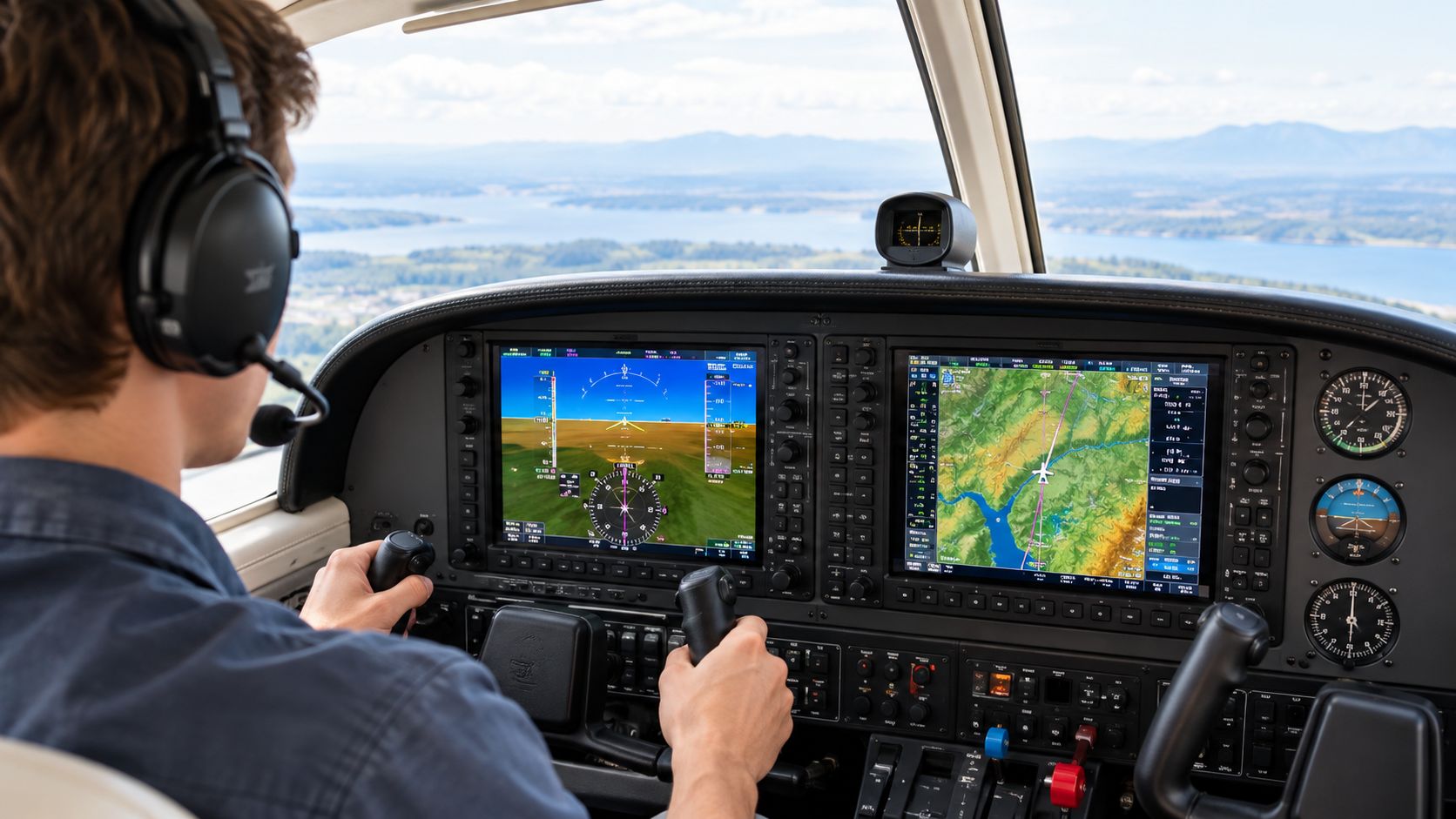
A glass cockpit is an aircraft cockpit that uses electronic flight displays (EFDs) instead of separate mechanical gauges. In a typical integrated setup, the Primary Flight Display (PFD) shows core flight information, while the Multi-Function Display (MFD) presents navigation and other supporting information.
If you're new to flying, the panel can look like a wall of screens before you've even learned where the controls are. Your first task isn't to memorize every button. It's to understand what the displays are telling you, what feeds them, and what you'll do if something changes or fails.
What a Glass Cockpit Actually Is
You slide into the right seat and look forward. Instead of a row of round dials, you see one or more flat electronic displays, with flight information arranged in colored bands, symbols, and numbers. The FAA describes a glass cockpit as a cockpit containing an electronic flight display. The key difference isn't that the panel has screens. It's that electronic displays organize information that older aircraft presented on separate instruments. (FAA Human Factors Handbook)
In a traditional panel, pilots often talk about the six-pack: separate instruments for attitude, airspeed, altitude, vertical speed, heading, and navigation or turning information. You scan between them and combine their readings into a picture of how the airplane is moving. In a glass cockpit, some or all of those indications appear together on the PFD, while another display can add a map, weather, traffic, terrain, or engine information.
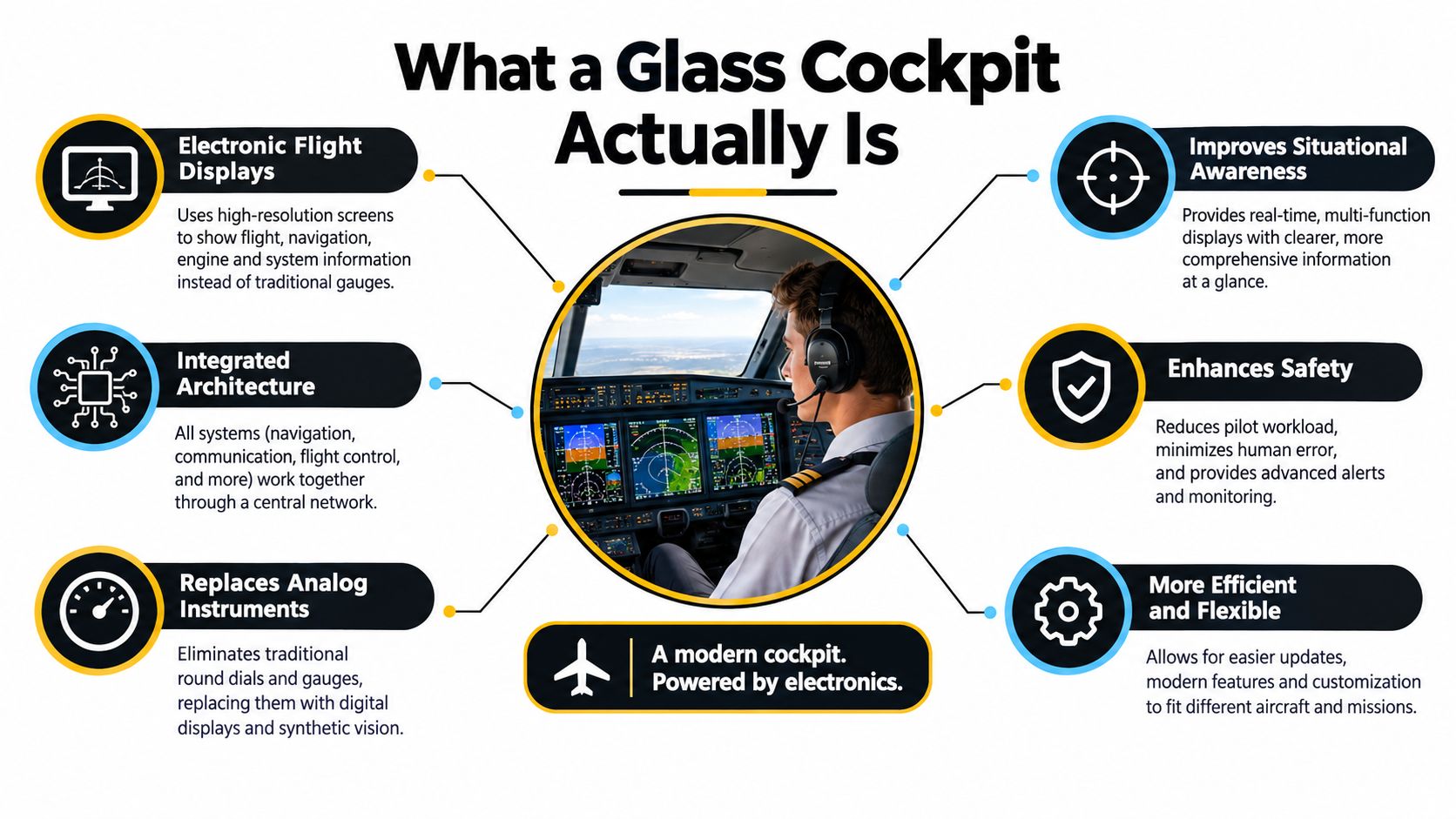
What hasn't changed is the pilot's job: you still fly the airplane. You manage its attitude, energy, direction, and flight path, and you make decisions based on what the aircraft is doing. What changes is how information is consolidated and displayed. A screen can make relevant details easier to find, but it can also tempt a new student to stare at the display or chase menus instead of maintaining control.
A glass cockpit has three basic jobs:
- Present flight and aircraft information in a readable form.
- Organize related indications so you can understand them together.
- Prioritize what matters now, without distracting you from flying.
Think of the display as an organized instrument panel, not an autopilot or a substitute for understanding flight instruments.
Inside the PFD and MFD
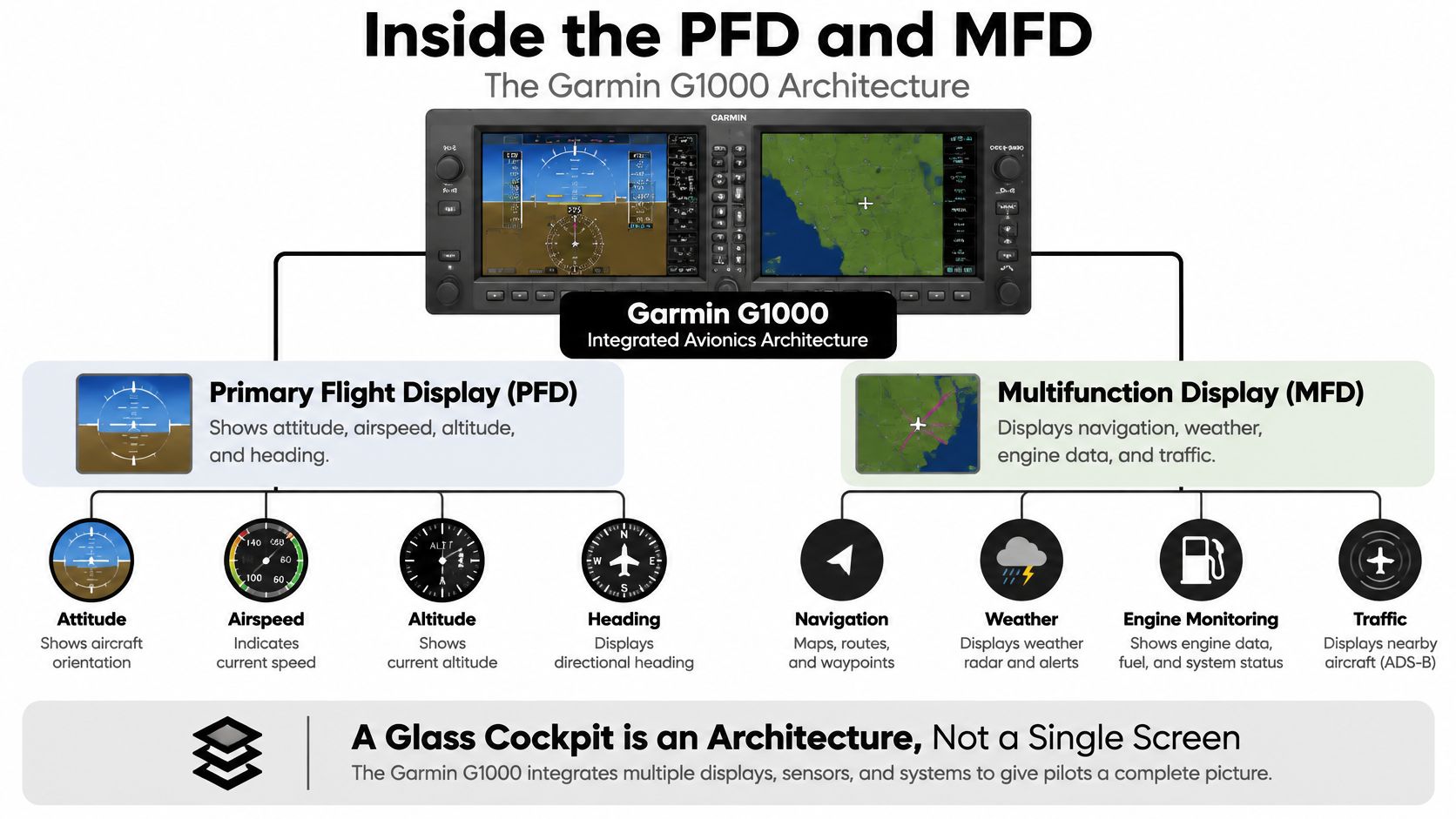
A glass cockpit is an architecture, not one all-purpose screen. The Garmin G1000 is a useful example: its two displays combine information from flight, navigation, communication, terrain, traffic, weather, and engine systems. The system's Attitude and Heading Reference System (AHRS) calculates the aircraft's three-axis flight data, while other sensors and computers provide additional inputs. (Garmin G1000 overview)
Start with the PFD
The PFD is where you look to understand the airplane's immediate flight condition. It brings together information traditionally shown on separate instruments:
- Attitude shows the airplane's pitch and bank relative to the horizon.
- Airspeed and altitude indicate how fast and how high you're flying.
- Vertical speed shows whether you're climbing or descending and at what rate.
- Heading and navigation help you understand direction and course.
- Flight-director cues can show guidance for a selected flight path.
A beginner can mistake a guidance cue for an instruction that must be followed automatically. It's only useful if you know what mode is active, what the system is commanding, and whether that command matches your plan. For a closer look at what you'll read on this display, see this guide to the Primary Flight Display.
Then use the MFD for context
The MFD can show a moving map, navigation and flight-plan information, terrain, traffic, weather, and engine data. It gives you broader context, but it doesn't replace looking outside or checking the aircraft's actual flight path.
The displays depend on connected systems. For example, air-data information supports airspeed and altitude indications, AHRS inputs support attitude and heading, and GPS and navigation equipment supply position and course information. Engine sensors contribute engine data. A problem affecting a shared sensor, power source, or data connection can affect more than one indication. The FAA's G1000 reference describes the system as integrating communications, navigation, surveillance, primary flight instruments, engine indications, and annunciations across its displays. (FAA G1000 brochure)
The screens are windows into a shared sensor network, not independent boxes.
How Glass Cockpits Reached the Training Fleet
For years, integrated electronic flight decks were associated with airliners and military aircraft, rather than the piston trainers many new pilots would first fly. The shift into widely used general-aviation training aircraft came in 2004. Garmin introduced the G1000 in June of that year, and Cessna certified the integrated system in September. The G1000 later became standard in newer Cessna 172SP aircraft and was offered in the 182 and 206 lines. (Garmin G1000 history)
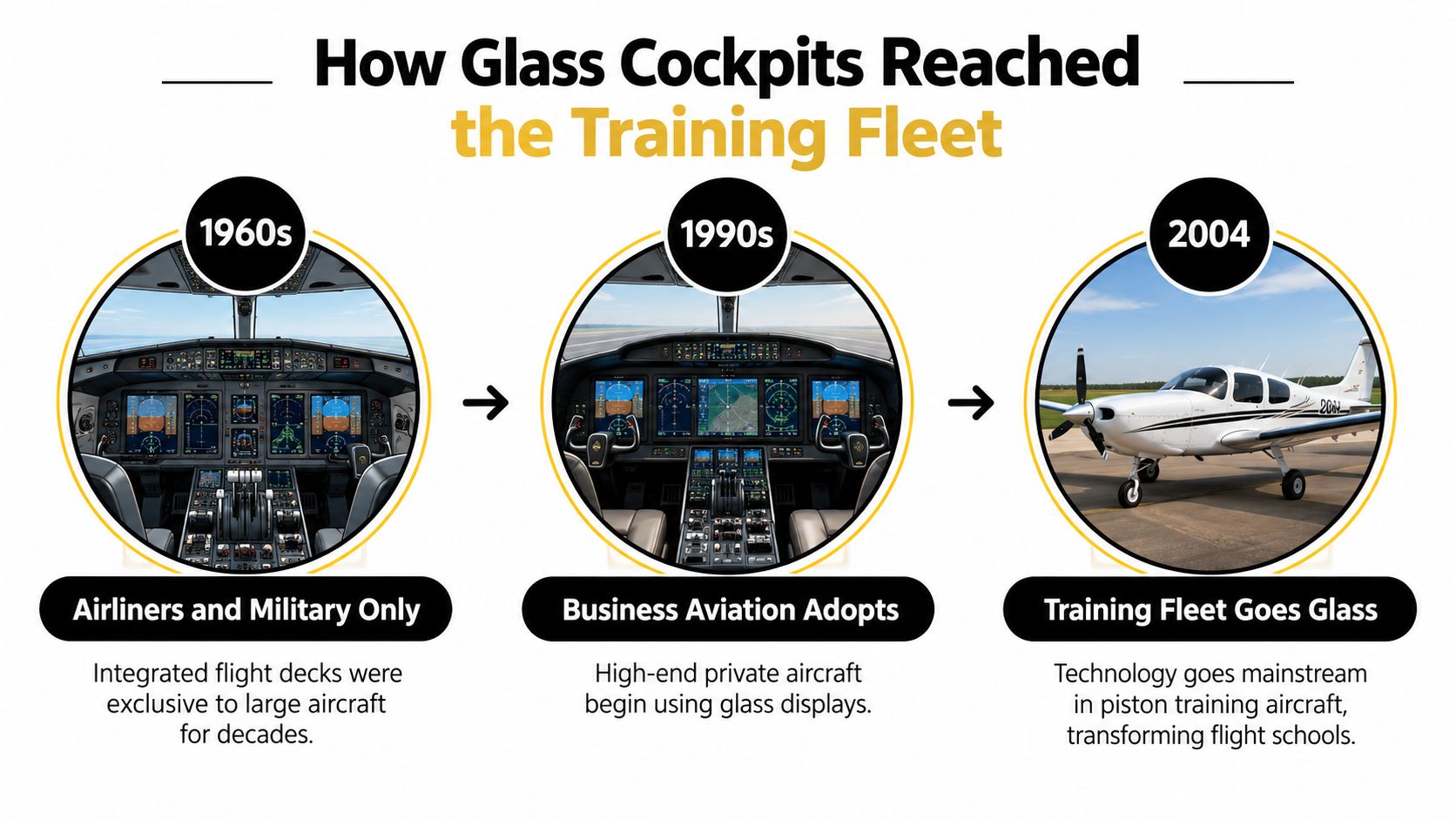
The change mattered for instruction as much as for equipment. The G1000 brought primary flight information, GPS navigation, communications, terrain, traffic, weather, and engine indications into a two-display layout. In December 2004, a major U.S. flight-training operator received the first of 16 G1000-equipped Diamond DA40 aircraft, describing the fleet as preparation for airline first-officer environments. That made digital avionics part of early pilot training, not just something to encounter after moving into larger aircraft.
Today, a student needs to be comfortable with both instrument interpretation and digital avionics. You'll learn to scan flight information, program navigation, manage automation, and use standby instruments if part of the panel becomes unavailable. If you're comparing the skills in your training plan, this overview of an instrument rating course syllabus can help you understand how instrument work fits into pilot training.
Older pilots didn't all distrust screens for the same reason, and there isn't one story that explains the transition. The practical concern remains easy to understand: integrated displays can make information easier to find, but a pilot must also learn how the system organizes it and how to continue if a display or its inputs fail.
Why Pilots Often Misjudge the Workload
A digital panel can look simpler than a spread of separate gauges. That doesn't mean flying it always takes less work. In a NASA study of 200 Boeing 757 pilots, at least half believed automation increased workload, and nearly half worried that extensive automation could erode flying skills. (NASA glass-cockpit study)
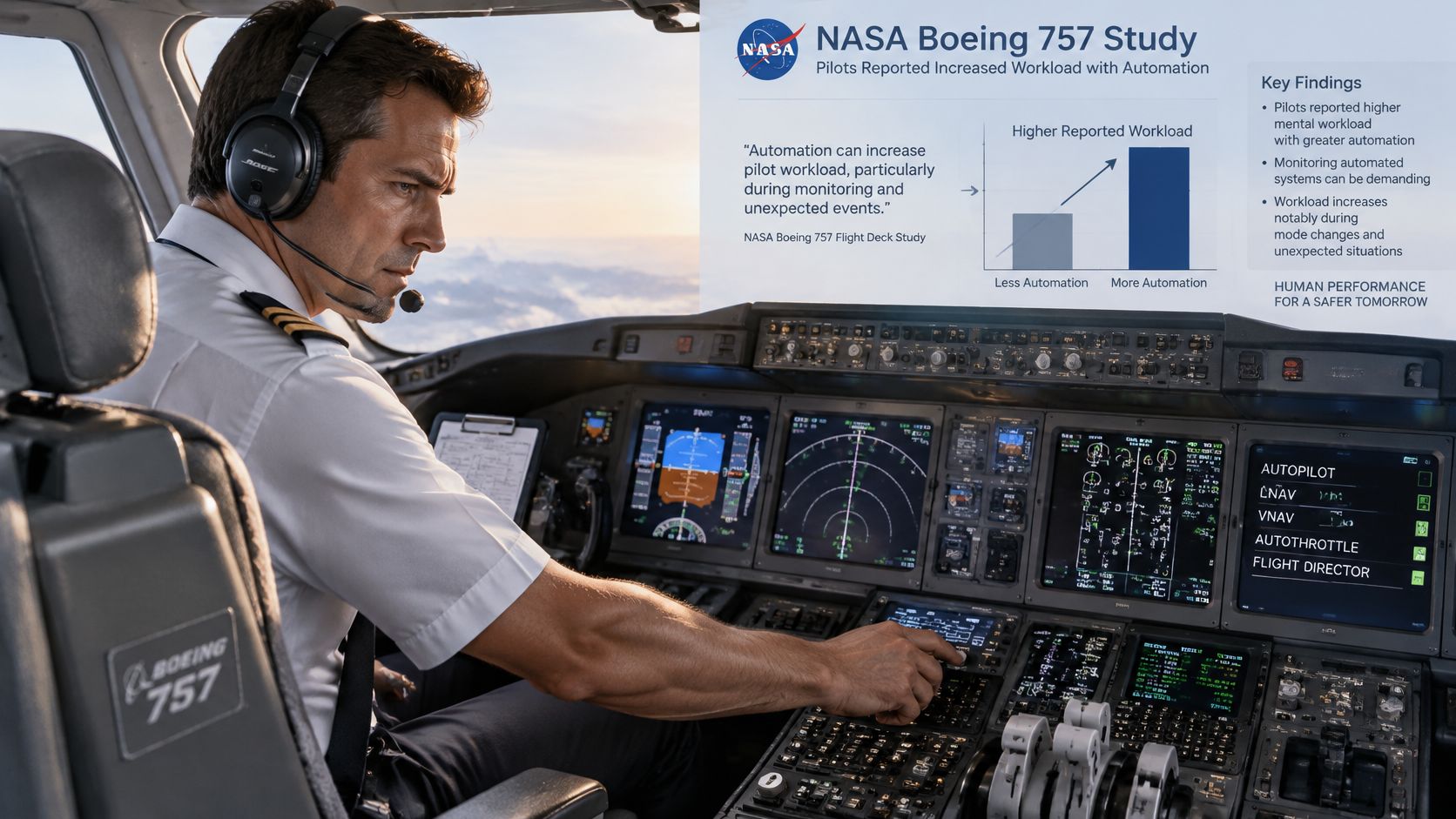
The work shifts. You may spend less effort assembling a picture from separate gauges, but more effort programming a route, verifying what the system accepted, checking its modes, and monitoring whether it's doing what you expect. A last-minute arrival or approach-clearance change can add tasks just when you're already managing the airplane, radio calls, and navigation.
NASA's Flight Cognition Laboratory highlights another part of the challenge: advanced systems can reduce workload and support situational awareness, but they also place demands on long-term and working memory, prospective memory, and task management. A student who has learned which buttons to press without understanding the system's logic may not have a reliable mental picture of what it will do next. (NASA Flight Cognition Laboratory)
Practical rule: Fly the airplane first, verify the modes second, and troubleshoot last.
When the workload rises, don't let a flashing message or an unexpected mode pull your attention away from basic control. Stabilize the airplane, check what the automation is doing, and then handle the next task. This guide to managing cockpit workload offers more ways to build that discipline.
A useful training habit is to say the system state out loud: name the active mode, name the armed mode, confirm the altitude and path, then look outside. That routine helps you catch a mismatch before you start troubleshooting a problem that may not exist.
What Happens When the Screens Fail
A glass cockpit can make information easier to read and combine, but that alone doesn't settle whether it's safer than conventional instruments in every situation. A collegiate aviation study summarized in the research found that glass-cockpit aircraft had a lower overall accident rate but a higher fatality rate than conventional-display aircraft. Among 266 accidents from 2002–2008, glass-cockpit accidents were more likely to be fatal, with higher accident and fatal-accident rates in instrument meteorological conditions and at night. Those findings don't prove that the displays caused the outcomes. Glass-equipped aircraft may operate faster, in more demanding airspace and weather, and have different failure modes. (Collegiate aviation research study)
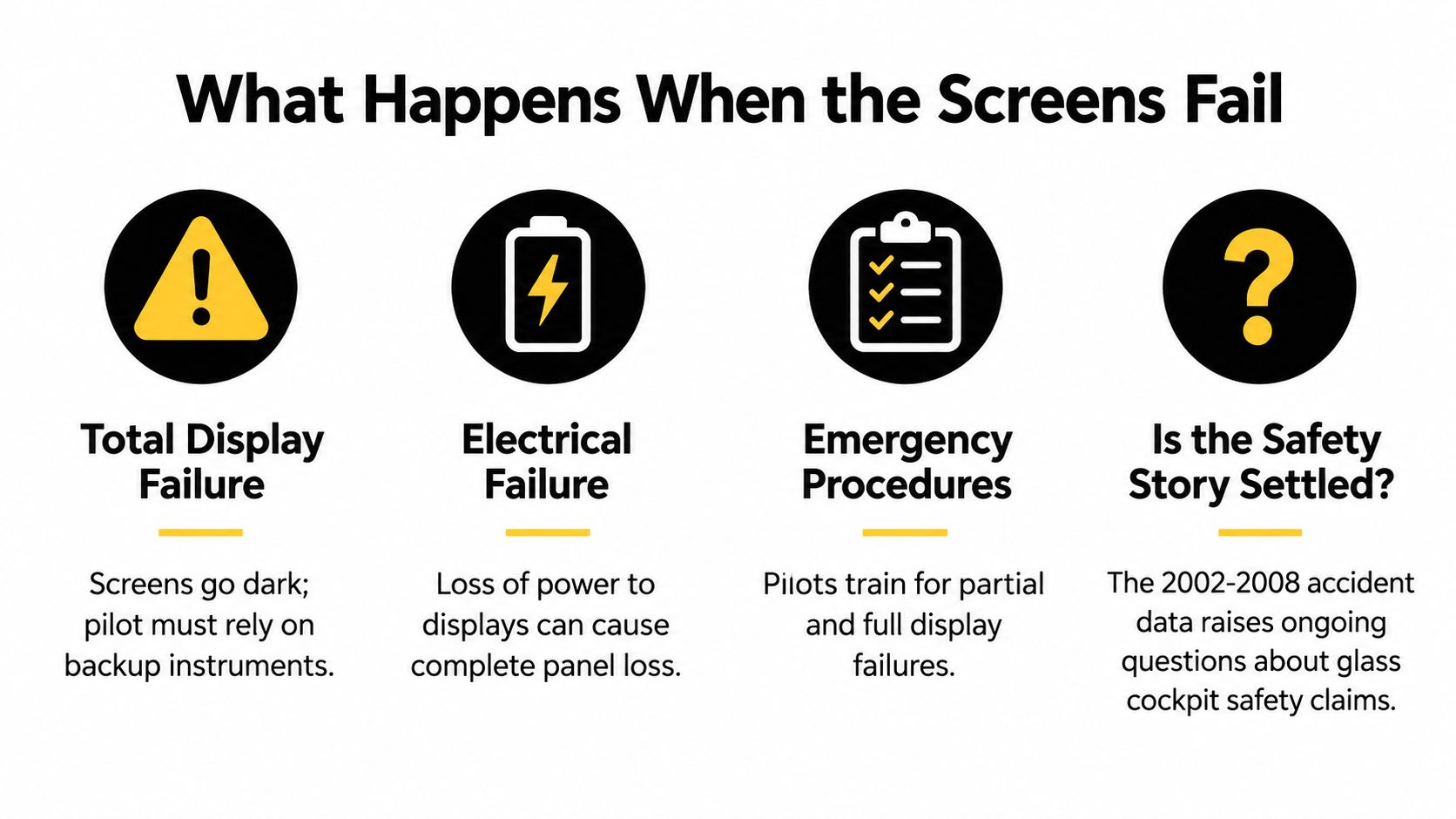
The practical lesson isn't to assume the panel will fail, or to treat it as a passive safety upgrade. Learn what information remains if a display goes blank, what the standby instruments show, and how electrical power and sensors affect the indications. Know the aircraft's reversionary display procedure and the limitations of its navigation databases. A blank screen shouldn't blank your understanding of the flight.
Rehearse the response, not just the normal display
A good abnormal-procedure habit starts with control. Keep the aircraft on a safe flight path, identify which display or indication is affected, and use the aircraft-specific checklist and procedures. Don't guess at a recovery sequence based on a different aircraft's panel.
- Recognize the change: Identify what has disappeared, changed, or become inconsistent.
- Use independent information: Check standby instruments and other available indications.
- Follow the aircraft procedure: Apply the appropriate reversionary or electrical-failure guidance.
- Keep flying: Delay nonessential programming or troubleshooting until the aircraft is stable.
Pilots train these responses so a display problem becomes a practiced task rather than a surprise. A flight-simulation guide can help you see how simulated scenarios support that kind of practice.
What the FAA Still Requires You to Carry
A glass panel doesn't cancel the equipment rules for instrument flight. Under 14 CFR § 91.205(a), a powered civil aircraft with a standard U.S. airworthiness certificate must have the instruments and equipment required for the operation, or FAA-approved equivalents, and those items must be operable. For instrument operations, § 91.205(d) lists required functions and equipment. (14 CFR § 91.205)
The table translates those categories into the questions a student should ask during training. A display may combine indications, but that doesn't automatically make it an approved substitute for every required item. The equipment must provide the required function, be approved for the aircraft and operation, and remain operable.
| Required item | What it does | How a glass cockpit handles it |
|---|---|---|
| Two-way radio communications system | Supports communication with air traffic services and other stations. | Integrated radios may be controlled or displayed through the avionics, subject to aircraft approval and operating procedures. |
| Navigational equipment appropriate to the route | Provides the navigation capability required for the planned operation. | Navigation information can appear on the PFD or MFD, but the installed equipment must be appropriate and operable. |
| Rate-of-turn indicator | Shows the aircraft's turning rate. | The indication may be integrated into the electronic presentation if the equipment provides the required function. |
| Slip-skid indicator | Shows whether the aircraft is coordinated in a turn. | A visual slip-skid indication may appear on the display. |
| Sensitive altimeter adjustable for barometric pressure | Shows altitude with an adjustment for local pressure settings. | The electronic altimeter must provide the required function and adjustment. |
| Clock displaying hours, minutes, and seconds | Provides time information for flight operations. | A clock function may be incorporated into the display or provided separately. |
| Attitude indicator | Shows aircraft pitch and bank. | The PFD commonly presents attitude electronically. |
| Heading indicator | Shows aircraft heading. | Heading information may be integrated into the PFD presentation. |
The point isn't to memorize a screen layout and assume you're covered. Learn what each required function does, how the aircraft provides it, and what the aircraft-specific procedures say if an indication becomes unavailable.
Glass Cockpits and Your Path to the Airlines
For an aspiring career pilot, glass-cockpit training is about learning a way of managing information that you'll encounter again in professional aviation. A modern display can make flight information easier to organize, but the pilot still has to interpret it, monitor automation, and maintain control. Learning those habits early can make later transitions more familiar, provided you also practice hand-flying, partial-panel work, and standby-instrument procedures.
Your training should build competence in both the integrated display and the underlying flight skills. When an instructor asks what the airplane is doing, you should be able to answer from the instruments and your understanding of flight, not point to a line on a map. You'll also need to recognize when the display is helping and when it's distracting you from a higher-priority task.
If you haven't flown yet, a discovery flight is a practical way to sit in the right seat and see the screens in an aircraft before committing to training. If you're ready to pursue a career path, CFII's Career Track program offers a structured route from zero experience to CFII and multi-engine training. Its published program includes $89,000 fixed tuition, about nine months of training, 282 total hours, and six certificates and ratings, with training based in Southern California at Riverside, Long Beach, and Corona. For an overview of how pilot training can be structured, see this guide to pilot training.
Glass cockpits reward preparation and punish complacency. Train to understand the system, question what you don't understand, and keep flying the airplane while you sort out the panel. Those habits matter whether you're learning in a trainer or preparing for the next step in your career.
CFII offers a structured Career Track from zero experience to CFII and multi-engine training, with modern glass-cockpit aircraft and a defined training pathway. If you're ready to see how that approach fits your pilot goals, visit CFII and explore your next step.
Planning to fly for a living?
See what the path from zero to a pilot career looks like, what it costs and how long it takes.
Learn to fly in Riverside
We train at Riverside Municipal Airport in factory-new airplanes with a parachute built in. Start with a one hour discovery flight, no experience needed.
